Understanding Your Card Printing Needs
Printing your own cards offers a versatile solution for a variety of personal, professional, and promotional purposes. Whether you are creating eye-catching business cards to expand your network, designing personalized greeting cards for special occasions, or producing ID cards for secure access, understanding the specific needs of your project is fundamental to achieving impressive results.
First, identify the main objective behind your card project. Business cards, for instance, serve as a professional medium to share contact details and establish brand identity. Greeting cards are often crafted to evoke emotions and celebrate events, requiring different design and material considerations. Custom ID cards are critical for security and access control within organizations, demanding durability and precise features.
Next, consider the volume of cards you plan to print. Small batches allow for creative flexibility and personalization, while larger quantities might necessitate more efficient methods to ensure consistency and cost-effectiveness. The intended use also influences the choice of paper or material. For example, business cards often use thicker cardstock for a premium feel, whereas greeting cards may incorporate decorative finishes or textured papers. ID cards typically require rigid materials with embedded security features.
Understanding these distinctions helps in selecting appropriate printing methods and materials, ensuring your final product meets your expectations and functional requirements. When planning your project, think about how the design will be applied—whether through digital printing, letterpress, or other techniques—as each approach has specific benefits and limitations based on the type of card and its intended use.

Identifying the Purpose of Your Card Project
- Business Cards: Enhance your personal brand and provide contact information professionally.
- Greeting Cards: Personalize messages for holidays, birthdays, or special occasions.
- ID Cards: Ensure secure access and identification within organizations or events.
- Promotion and Marketing: Create event passes, loyalty cards, or promotional gift cards to boost engagement.
By clearly defining the purpose and scope of your card printing project, you can tailor your approach—selecting the right materials, design, and printing techniques—to yield optimal results while maintaining a professional appearance and functionality. Proper planning at this stage sets a solid foundation for the subsequent choices in equipment, design, and finishing touches, ultimately leading to high-quality cards that serve your specific needs effectively.
Understanding Your Card Printing Needs
Before embarking on the process of print your own cards, it is crucial to have a comprehensive understanding of your specific requirements. This involves examining the purpose of the cards, the desired quality, and the volume you intend to produce. Different projects may demand varying levels of durability, security features, or aesthetic appeal, which directly influence the choice of materials and printing methods.
For instance, business cards typically require a professional finish with high-quality paper stock and precise digital printing to ensure sharp graphics and clear contact details. Greeting cards, on the other hand, might benefit from textured or specialty papers to evoke emotion and add a tactile dimension. ID cards and security badges often necessitate rigid plastics with embedded features such as holograms or embedded chips, demanding specialized printing techniques and materials.
The design process should consider how images, text, and branding will appear on the final product. Different printing methods offer unique advantages: digital printing provides quick turnaround and cost-effectiveness for small batches; offset printing may be suitable for larger quantities with consistent quality; and specialty techniques like embossing or foil stamping can add an element of sophistication to your cards.
Identifying the Purpose of Your Card Project
- Business Cards: Focused on establishing a professional identity, often necessitating high-resolution graphics and a sleek finish.
- Greeting Cards: Designed to convey emotional messages, often incorporating decorative papers and embellishments.
- ID Cards: Prioritize durability, security features, and clarity for easy recognition.
- Promotion and Marketing Cards: Created to attract attention, often featuring bold colors, logos, and promotional messages.
Careful consideration of the specific application ensures that both design and material choices align with the intended use, maximizing effectiveness and visual impact. Tailoring these aspects from the outset sets the foundation for a successful print project and high-quality results.
Factors to Consider When Planning Your Card Printing Project
- Quantity: Determine the number of cards needed to select the most cost-effective production method.
- Material: Choose between standard cardstock, premium papers, or plastics based on durability and appearance requirements.
- Design Complexity: Decide if the design includes simple graphics or elaborate effects such as embossing, foil stamping, or UV coatings.
- Budget: Establish a clear budget to balance quality and cost, influencing choices in materials, techniques, and finishes.
- Time Frame: Account for production time, especially if expedited services are necessary.
Addressing these factors early in the planning stage ensures a smoother transition through design, setup, and production, ultimately delivering a polished product that meets your expectations and functional needs.
Identifying and Sourcing Reliable Printing Services
Choosing a dependable printing service is essential for achieving high-quality results when printing your own cards. It is important to research local and online providers that specialize in custom card printing to ensure they have the capability to meet your specifications. Reliable services will utilize advanced printing technology, offer a range of material options, and provide sample proofs to validate color accuracy and design fidelity before proceeding with the full order.
When selecting a printer, verify their portfolio and review client testimonials to assess their expertise and consistency in delivering professional-grade products. Ensure they are transparent about their process, turnaround times, and pricing structure. Asking for samples of previous work can help you evaluate print quality, material finish, and overall attention to detail.

Additionally, establishing clear communication pathways with your chosen printer minimizes risks of misinterpretation and ensures your specifications are accurately translated into the final product. Discussing options such as color matching, finishing techniques, and turnaround timelines upfront is crucial for aligning expectations and facilitating smooth production.
Utilizing Official Product Templates and Resources
Many printing companies provide official design templates that are calibrated to their printing equipment. Using these templates helps ensure your designs fit correctly, align with bleed areas, and incorporate safe margins, preventing unwanted cropping or misalignment. These resources are especially helpful for first-time card print users, simplifying the preparation process and reducing the potential for errors.
Templates often include guidelines for margins, safe zones, and print bleed specifications, which are critical to achieving crisp, professional-looking results. They can be downloaded directly from the printing service's website or obtained upon request. Incorporating these templates into your graphic design software streamlines the setup process and guarantees compatibility with the selected printing method and materials.

Preparing and Validating Your Design Files
Proper preparation of your design files is key to achieving high-quality prints. Ensure your files are in the correct resolution, typically 300 DPI, to prevent pixelation or blur in the final print. The color mode should be set to CMYK, as this color space aligns with professional printing standards, ensuring color vibrancy and accuracy.
Before finalizing, double-check all text, graphics, and images for alignment and clarity. Use bleed areas as recommended by your template to prevent unwanted white borders after trimming. Once your design is complete, generate a comprehensive PDF or print-ready file, incorporating crop marks and bleed settings.
Most printers will offer a proofing service, either digitally or as a physical sample. It is advisable to review this proof meticulously, checking for color consistency, image sharpness, and proper placement of design elements. Approving a proof before full production helps catch and correct potential issues, saving time and resources in the long run.
Preparing Your Files for High-Quality Card Printing
Ensuring your digital files meet precise specifications is fundamental to achieving vibrant, sharp, and durable cards. Start by verifying that your design documents are set to a resolution of at least 300 DPI (dots per inch). This resolution guarantees clarity and detail, especially for intricate logos, text, or graphics. Files with lower resolutions risk appearing pixelated or blurry once printed, undermining the professional appearance of your cards.
Color management is equally critical. Always work in the CMYK color mode, as it reflects the color spectrum used by most commercial printers. This alignment ensures that the colors you see on your screen closely match the final print output, reducing surprises related to color shifts or dullness.
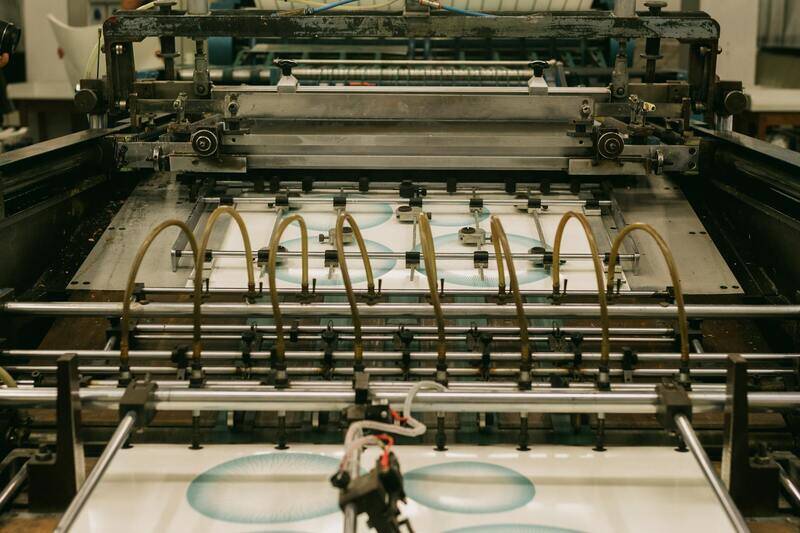
When preparing your files, incorporate bleed areas—extra design elements extending beyond the intended trim size. Bleeds prevent unwanted white borders after trimming and contribute to a clean, professional finish. Follow your chosen printing service’s recommended bleed dimensions, typically 3-5mm, to ensure consistency.
File formats play a vital role in maintaining design integrity. Save your finalized design as a print-ready PDF, embedding all fonts and ensuring high-resolution images. Include crop marks to guide the trimming process during production. These marks are particularly useful in avoiding misalignments or uneven cuts, especially when dealing with complex or layered designs.
Most professional printers provide a proofing service, offering either a digital preview or a physical sample of the finished card. Conduct a thorough review of the proof, scrutinizing details such as color fidelity, text legibility, image sharpness, and alignment. Confirm that the design matches your expectations and that no elements are misaligned or cut off. Approving this proof before proceeding to full production minimizes errors that could lead to wasted materials or additional costs.
Effective Tips for Seamless Printing Results
- Always communicate your specific requirements and preferred paper qualities with your printing provider.
- Use only vector files for logos and graphics where possible, as they scale without losing quality.
- Optimize image files by compressing them without sacrificing quality to reduce file size and ensure fast processing.
- Maintain consistency in font usage and color schemes across all design elements to uphold brand integrity.
- Request a test print, especially for bulk orders, to verify color matching and material compatibility before finalizing the entire run.

By adhering to these detailed file preparation practices, you improve the likelihood of obtaining consistently excellent print results. Properly prepared files streamline the printing process, reduce turnaround times, and contribute to a polished, professional appearance for your custom cards.
Selecting the Appropriate Printing Techniques for Custom Cards
Choosing the right printing technique is crucial for achieving the desired quality and durability of your custom cards. Different printing methods offer unique advantages, and selecting the most suitable one depends on factors such as card design complexity, volume, budget, and the specific features you want to incorporate.
- Digital Printing: Ideal for short runs and highly customized designs. Digital printing offers quick turnaround times and the ability to easily update designs without additional setup costs. It produces crisp images and vibrant colors, making it suitable for business cards, event access cards, and loyalty cards.
- Offset Printing: Best for large volumes, delivering high-quality, consistent results with sharp detail and accurate color reproduction. Offset printing involves a setup process but is cost-effective in bulk quantities, making it ideal for extensive card printing projects such as membership cards or promotional items.
- Sublimation Printing: Suitable for creating cards with full-color, photographic images, and a smooth finish. Sublimation transfers dye-based inks onto the card surface, resulting in durable, vibrant visuals that are resistant to fading and scratching.
- Thermographic Printing: Adds a tactile, raised effect to specific areas such as logos or borders, enhancing the card's visual impact. This method pairs well with offset or digital prints and is commonly used for luxury and high-end cards.
When selecting a printing technique, consider also the options for finishes and surface treatments that can further enhance your cards' appeal and longevity.

Consult with your printing service provider to determine the most appropriate method based on your design intricacies and volume requirements. Leveraging professional expertise ensures optimal results that align with your branding and functional goals, while also maximizing the robustness and aesthetic appeal of your finished cards.
Understanding Your Card Printing Needs
Before initiating any card printing project, it is imperative to clearly identify the specific requirements that align with your objectives. Consider the purpose of the cards—whether they are for business branding, event access, loyalty programs, or gift cards—as each use case demands particular features. Evaluate the volume you intend to print; small batches may benefit from digital printing methods, whereas larger quantities are more suited for offset printing due to cost efficiency. The durability, finish, and visual appeal needed should also guide your choices. For instance, if your cards will be handled frequently, opting for thicker stock and protective coatings can prevent wear and tear. Additionally, consider the design complexity, color schemes, and whether special effects or embossing are required. Gathering comprehensive information about your project helps in selecting the right equipment, materials, and techniques to achieve professional results that effectively support your branding and functional goals.
Choosing the Right Printing Equipment and Materials
The selection of printing equipment and materials significantly influences the final quality and economy of your cards. For small-scale, on-demand print jobs, digital card printers are a practical choice, offering quick turnaround times and high customization options. These printers often support various finishes and integrate seamlessly with design software, allowing for high-quality output with minimal setup. For bulk production, offset printing remains the preferred option due to its cost-effectiveness and ability to maintain consistency across large orders. This method delivers sharp images and precise color matching, ideal for corporate branding or extensive promotional campaigns.

- Card stock material: Choose between matte, glossy, or textured finishes based on aesthetic preferences and usage conditions.
- Printer quality: Invest in commercial-grade digital or offset printers designed for card stock to ensure clarity and durability.
- Surface treatments: Options like laminating or UV coating add protection, enhance appearance, and extend the lifespan of your cards.
Designing Your Cards Effectively
Design plays a crucial role in producing impactful cards. Use high-resolution graphics and carefully select color schemes that reflect your branding. Incorporate clear, readable fonts and strategic placement of logos, contact details, and other vital information. It’s advisable to use templates aligned with the standard sizes for business or access cards to facilitate proper layout and trimming. Consider adding QR codes or holographic elements for additional functionality and visual appeal. When designing, ensure adequate bleed areas and margins to avoid cropping issues during cutting. Access to professional design software or collaboration with graphic designers can optimize layout and ensure your cards meet visual standards and printing specifications.
Setting Up Print Files for Success
Properly prepared print files are essential to achieving crisp, vibrant results. Use CMYK color mode to accurately simulate printed colors, and embed or outline fonts to prevent font substitution errors. Maintain a resolution of at least 300 dpi to ensure image sharpness. Save files in formats compatible with your printer's requirements, such as PDF or TIFF. Include bleed areas and crop marks to guide trimming processes. Conduct test prints on a smaller scale before committing to full production, identifying potential issues early. Collaborate with your print provider to verify file specifications and obtain proofing options, which help in visualizing the final output and making necessary adjustments.
Printing Techniques and Tips
Several printing methods are available to suit different needs and budgets. Digital printing offers flexibility and quick turnaround suitable for personalized and short runs. Offset printing is beneficial for large batches, providing high-quality, consistent results and cost advantages per unit. Sublimation printing excels in producing full-color photographic images with vibrant, durable finishes. Thermographic printing adds a tactile, raised effect that enhances specific design elements, providing a luxurious feel. Combining techniques—such as offset printing with thermographic accents—can elevate the professionalism of your cards. To maximize quality, pay attention to color calibration, proper registration, and selecting appropriate finishes like matte, gloss, or soft-touch coatings. Regular maintenance of your printing equipment and calibration ensures consistent output while reducing waste and reprints.
Understanding Your Card Printing Needs
Prior to initiating any card printing project, it's essential to clearly define your specific requirements. Consider the intended purpose of the cards—whether they are for business identification, membership, promotional giveaways, or personalized greeting cards—as this influences the choice of materials, design complexity, and printing techniques. Assess the volume of cards needed, as this impacts cost-effective methods and equipment selection. Also, evaluate the durability required, especially if the cards will be handled frequently or exposed to environmental elements. Identifying these parameters upfront facilitates a smoother printing process and ensures the final product aligns with your expectations.
Key Factors to Consider:
- Card purpose and intended usage
- Volume of cards to be produced
- Design complexity and customization needs
- Durability and material requirements
- Budget constraints and timeline

Choosing the Right Printing Equipment and Materials
Selecting appropriate printing technology and materials is critical in achieving high-quality, professional end products. For small-scale, personalized cards, digital printers equipped with high-resolution color capabilities are ideal due to their flexibility and quick turnaround times. Large-volume projects may benefit from offset printing, which offers consistency and cost efficiency when producing thousands of cards. Moreover, sublimation printing can be used effectively for photographic-quality images that require vibrant colors and durability.
Material selection also plays a pivotal role. Common options include plastic cards, which are long-lasting and resistant to wear; cardstock, suitable for promotional or event-based cards; and specialty papers or synthetic surfaces for unique finishes. When choosing materials, consider factors such as thickness, finish (matte, gloss, satin), and compatibility with your printing method to maximize aesthetic appeal and longevity.

Designing Your Cards Effectively
An impactful card design combines clear branding, legible typography, and appropriate use of imagery. High-resolution images and vectors should be incorporated to avoid pixelation during printing. Keep text concise and use fonts that complement your brand identity while ensuring readability. Incorporate brand colors consistently across all design elements, adhering to color standards to prevent discrepancies post-printing.
Utilize design templates when possible, which streamline the layout process and maintain uniformity across multiple cards. When designing for print, always build your files in the correct dimensions, including bleed areas to prevent unwanted borders after trimming. Integrate safety margins to ensure all critical information remains within the visible area, avoiding accidental trimming or obstruction.
Setting Up Print Files for Success
Proper file preparation is essential to achieving high-quality results. Save your designs in formats compatible with your printing method, such as PDF or TIFF, ensuring they preserve color integrity and resolution. Maintain a minimum of 300 dpi resolution to ensure sharpness, especially for detailed graphics and small text elements. Include bleed zones—typically 3mm or 1/8 inch—to facilitate clean trimming without losing design elements near the edges.
Mark crop lines and registration guides in your files to assist with accurate alignment during printing and finishing stages. Conduct test prints, preferably on similar material, to identify and rectify any issues such as color misregistration, inconsistent margins, or image distortion before committing to larger runs. Maintaining a clear and organized layer structure within your design files facilitates easy adjustments and revisions during the prepress process.
Printing Techniques and Tips
Numerous printing methods provide options suited to different project requirements. Digital printing is fast, versatile, and perfect for short runs with personalized designs, allowing for easy modifications. Offset printing, while requiring more setup, offers consistent high quality and is cost-effective for larger quantities. Sublimation printing excels in producing vibrant photographic images on synthetic surfaces, making it ideal for customized, durable cards.
To optimize print quality, calibrate your devices regularly—monitor color profiles, check for proper ink consistency, and ensure the printer is free of dust and debris. Experiment with different finishes, such as matte, gloss, or soft-touch coatings, to enhance tactile appeal and durability. Incorporate special effects like foil stamping, embossing, or spot UV varnish sparingly to highlight specific areas without overwhelming the overall design.

Legal and Best Practice Considerations
Successfully printing your own cards involves not only technical skill but also adherence to best practices that uphold quality standards and respect intellectual property rights. When designing and producing custom cards, it is essential to use original artwork or properly licensed images and fonts. This ensures that your creations are unique and compliant with intellectual property laws, avoiding potential disputes or legal complications.
Maintaining consistent branding is crucial for creating professional-looking cards. Use high-resolution graphics and vectors to ensure clarity and sharpness, especially when scaling designs. Establishing a standardized color palette and font set helps create a cohesive visual identity, whether these cards serve as business cards, membership cards, or promotional items.
In the realm of print quality, always use the recommended paper and materials suited for your chosen printing method. For example, if utilizing digital printing, select coated or matte finishes compatible with inkjet or laser printers, respectively. Offset printing requires specific paper grades that support high-volume production with minimal media variance. Sublimation printing demands synthetic surfaces designed to retain vivid colors and durability after sublimation transfer. Ensuring compatibility between your design files and printing equipment reduces waste, minimizes errors, and guarantees a professional result.
Implement quality control measures throughout the process. Before final production, conduct test prints to evaluate color matching, registration accuracy, and overall presentation. Adjust your files and calibration settings based on these tests to perfect the outcome. Regular maintenance and calibration of your printing devices prevent common issues such as color inconsistencies, misregistration, or smudging which can detract from your cards' professional appearance.
When applying finishing touches such as lamination, coating, or embossing, ensure these enhancements align with the card’s purpose and design aesthetics. Use these techniques selectively to emphasize key design elements or add tactile interest without overwhelming the overall look. For instance, spot UV varnish can highlight logos or text, while matte or gloss coatings can add visual depth and durability in varying environments.
Document your process meticulously, especially when producing multiple runs. Keep records of color profiles, material batches, and printer settings. This documentation aids in reproducing consistent quality for future projects and can streamline troubleshooting if issues arise. Custom card printing, when done with attention to detail and adherence to best practices, results in professional-grade products that accurately reflect your brand or creative vision.